
TL;DR
- To download TikTok ads from Creative Center, open a specific Top Ad and copy its detail link into TikTok Ad Downloader.
- A Top Ads browsing URL is useful for discovery. It is not the same input as an individual
/topads/{ad_id}/record. - MyAdLibrary also supports TikTok Commercial Content Library ad details and advertiser-filtered batch sources, plus public TikTok videos, photo posts and creator profiles.
- Choose an ad-library source when you need paid-ad context. A creator's public post can provide media without proving paid distribution.
- Check the returned creative, save the media you need, and retain the source separately from your analysis. Free browser access does not imply unlimited usage or complete library coverage.
Knowing how to download TikTok ads starts with knowing which TikTok link you have. A public video, a Top Ad detail and an advertiser-filtered library page can all contain useful references, but they select different content.
This guide follows the download task from each source. For a broader explanation of when to research each library, see our TikTok Ad Library vs Creative Center comparison.
Identify your source before copying the link
| Starting point | What to copy | What the source establishes |
|---|---|---|
| Creative Center Top Ads | The selected ad's detail link | A creative included in the Top Ads collection |
| Commercial Content Library, Ad Library section | An ad detail or the intended advertiser-filtered source | A paid-ad record within that library's coverage |
| Public TikTok video or photo post | The individual post/share link | The media published at that address |
| Public creator profile | The creator's profile link | A source for collecting that creator's available public content |
TikTok's Top Ads documentation describes filtering by region, industry and objective, copying an ad link, and opening its analytics. Those tools help you choose a reference. A library selection or displayed engagement metric should not be treated as a promise that the creative will produce the same results for your business.
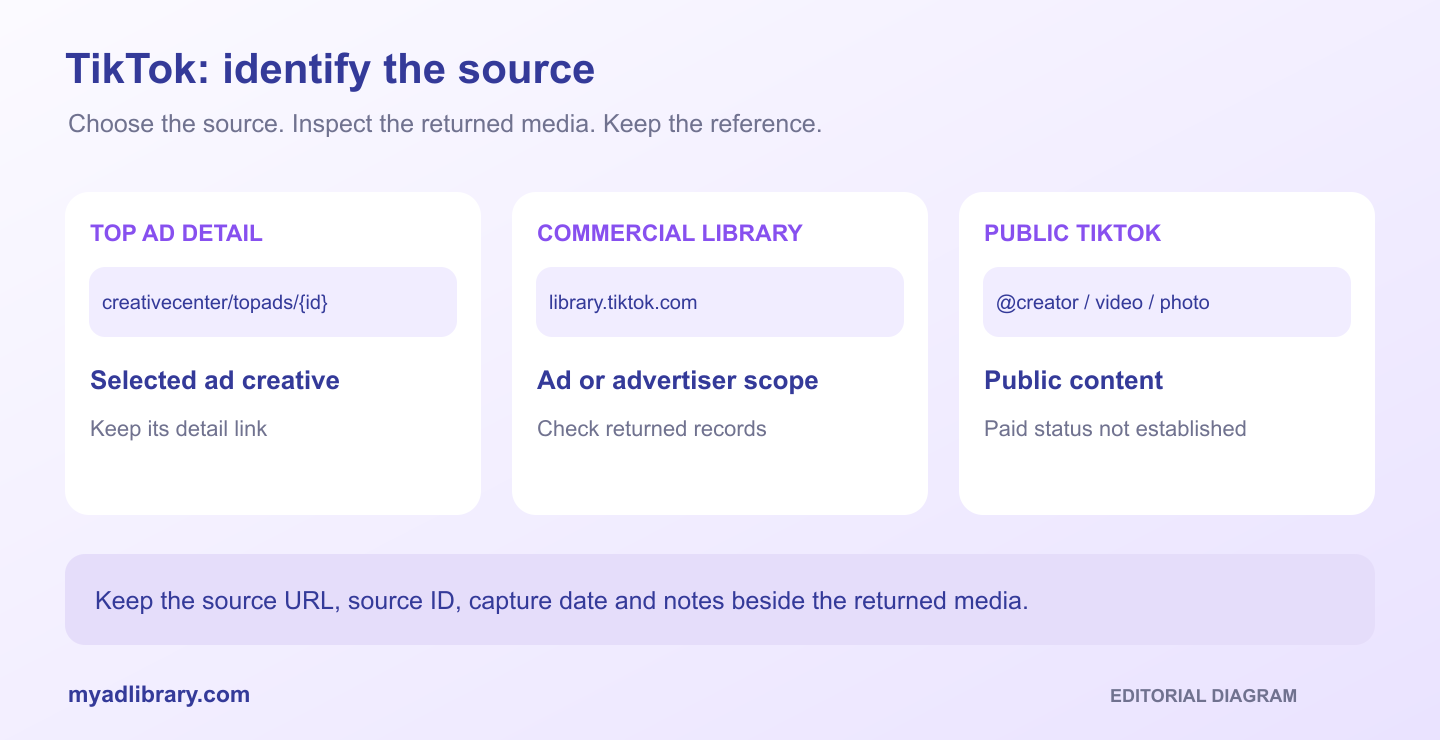
Editorial source map. Each path selects a different kind of reference; this is not a downloader screenshot.
Download a specific Creative Center Top Ad
1. Find the creative in Top Ads
Open Creative Center Top Ads. Choose the research conditions that matter to your question, such as region and time period, then inspect an ad that fits your brief.
TikTok's help page notes that logged-out Top Ads access is limited and recommends signing in to use the dashboard. A login requirement on TikTok's source page is separate from MyAdLibrary's free download entry.
Write down the conditions you used. They explain how you found the reference; they are not necessarily export settings, and the downloaded video will not reproduce an interactive analytics dashboard.
2. Copy the individual ad detail
Use the selected ad's link control or open its detail/analytics view and copy the address. A common supported pattern is:
https://ads.tiktok.com/business/creativecenter/topads/{ad_id}/pc/en
The placeholder describes the URL structure. Submit a real link copied from the ad, not the literal text above.
A browsing address such as /inspiration/topads/pc/en?period=30®ion=JP identifies a filtered list. It does not identify one selected ad. If a click returns you to the list, use the ad's own link control and reopen the copied address to confirm that it identifies the creative you want.
Do not substitute a product landing page. The destination reached by an ad's call to action identifies the offer, not the video source.
3. Retrieve and match the media
Paste the detail link into the TikTok Ad Downloader and choose Find media. Inspect the returned preview and any available source information.
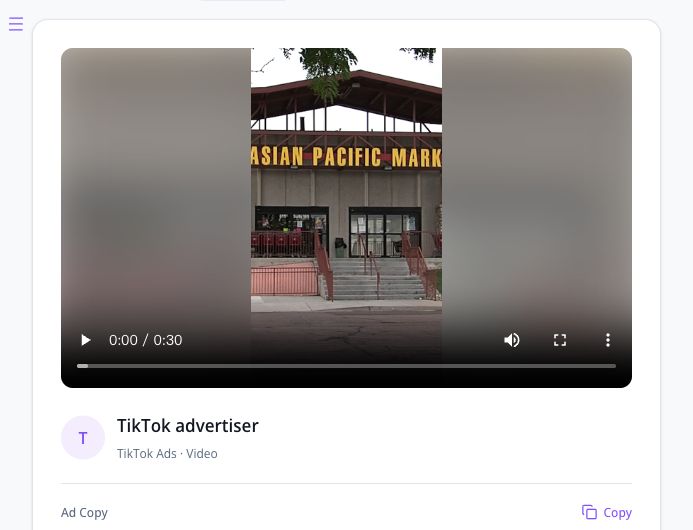
Development input capture, October 29, 2026, using the Top Ads detail ending in 7681729212986212373. The input is a specific ad address, rather than the Top Ads browsing page.
Match the opening shot, visible product, spoken message and ending against the Top Ad you selected. Similar-looking ads can have different offers or edits. A familiar thumbnail alone is a weak match when your task concerns the complete video.
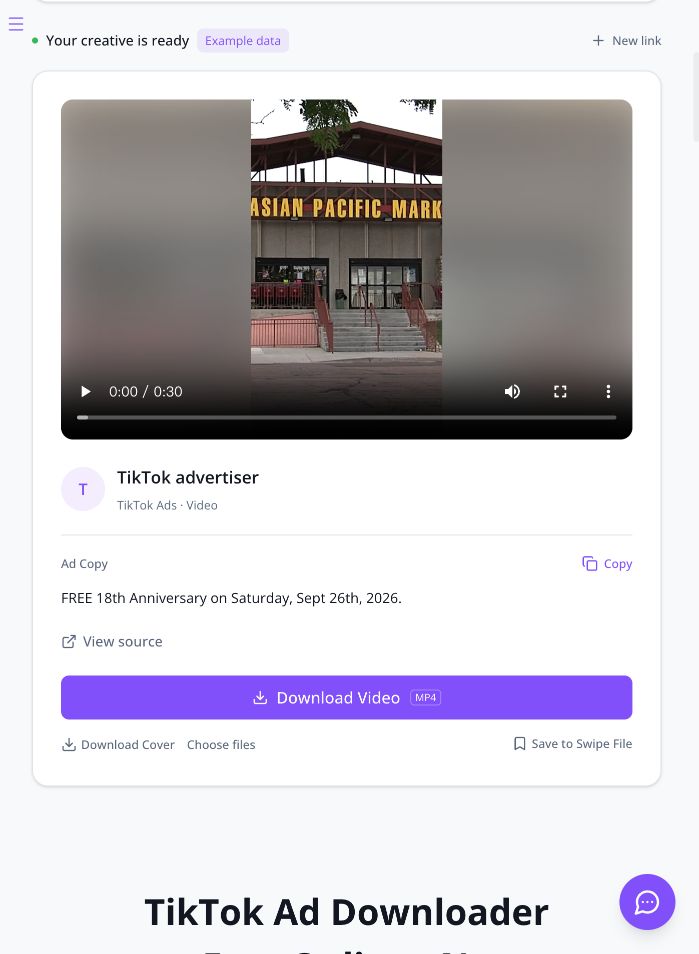
The development interface shows a 30-second preview and separate video/cover controls for the selected Top Ad example. Example data remains visible. A playable preview and available buttons do not establish a completed download or a watermark/quality result.
Choose the video download when you need motion and audio. A cover image is a separate asset. Open the saved file and check its beginning and ending before adding it to your reference set. Availability and output depend on the source; do not assume a particular resolution or watermark result without inspecting the file.
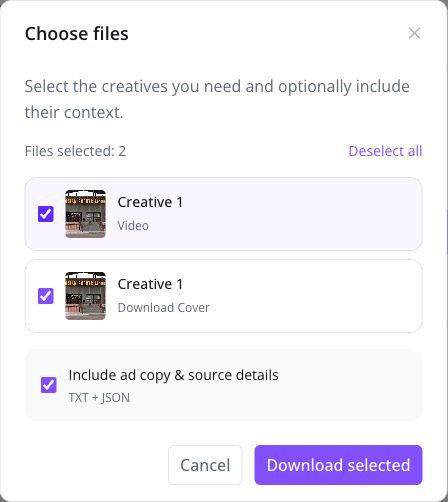
The same Top Ad example offers video and cover as separate choices, with an optional ad-copy/source-details selection. This captures the configuration step before Download selected.
Download from TikTok Commercial Content Library
Start in the official Commercial Content Library. In its Ad Library section, find the relevant advertiser and inspect the desired records. Keep the country, date and advertiser conditions beside your research notes.
TikTok's Commercial Content Library explanation distinguishes paid ads from other disclosed commercial content and describes regional coverage. It is not a worldwide inventory of every TikTok post or ad. An “all” region selection should not be interpreted as evidence of universal coverage.
Use the source that matches the size of your task:
- One exact reference: open the ad detail, copy its real address, and submit it to MyAdLibrary.
- Several ads from one advertiser: prepare the advertiser-filtered library source and submit that supported collection link.
- An incomplete collection: retain the missing records' individual links so you can inspect or retry them separately.
Review the returned items before downloading. Do not assume that every visible browser filter, sort order or historical record is guaranteed to transfer into the batch. Keep the library conditions as your research scope and compare them with what actually arrives.
Preserve source IDs where available. If one record includes several media assets, count those separately from the number of ads. An advertiser batch and a multi-image post are different kinds of collection.
Use public video, photo or creator links for content collection
MyAdLibrary's public TikTok workflow supports individual videos, photo posts, creator-profile batches, and vm.tiktok.com or vt.tiktok.com share links. These can be useful when the creator's public content is the material you need.
Common source patterns include:
https://www.tiktok.com/@{username}/video/{video_id}
https://www.tiktok.com/@{username}/photo/{post_id}
https://www.tiktok.com/@{username}
https://vm.tiktok.com/{code}/
https://vt.tiktok.com/{code}/
For a single post, paste its actual URL, retrieve the result and inspect the returned media. For a creator batch, use the creator profile and check the available posts returned for that source. For a photo post, review the image sequence instead of expecting every input to become a video.
If a short link fails, open it normally in your browser and copy the resolved public content URL. Check that it points to the intended post rather than a login screen or a generic homepage.
Keep the research label accurate. A public post might also be used in an advertising campaign, but its public URL alone does not prove that relationship. Retain a matching ad record when the paid placement is part of your claim.
Keep the downloaded creative connected to its evidence
Separate three kinds of information in your notes:
- Source facts: the ad or post URL, source ID, advertiser or creator, capture date and visible library fields.
- Creative observations: the hook, product demonstration, text timing, offer and CTA you actually watched.
- Your hypothesis: the new execution you want to test with your own audience.
An illustrative note might read: “The product appears before the voiceover explains the problem. Test an earlier product reveal in our next edit.” That observation does not require inventing a conversion rate or claiming that the competitor is profitable.
If you record a Top Ads metric, preserve its label and context. A relative performance view is not the advertiser's full account report, and a video download does not preserve the dashboard's interactive data. The official Top Ads overview explains the selected nature of the collection and its indexed performance analysis.
Use MyAdLibrary for the download workflow and Swipe File when you want an account-based reference collection. Swipe File saving requires sign-in; a local download does not by itself confirm that an ad was saved to a board.
Troubleshoot the link type first
| Symptom | Useful next step |
|---|---|
| You pasted the Top Ads browsing page | Copy a selected ad's detail link |
| The address opens the advertiser's store | Return to the creative and use its ad/source link |
| A Creative Center detail redirects to a list | Use the selected ad's link control; preserve its ID and check source access |
| The Commercial Content Library collection is incomplete | Compare the source scope with returned records and retry important details individually |
| A short share link fails | Resolve it in the browser and copy the public post URL |
| You saved a still image instead of a video | Check whether you chose the cover or whether the source is a photo post |
| A result lacks ad metrics | Keep the source record separately; do not infer missing metrics from the media |
| A quota message appears | Follow the stated limit or account options rather than assuming unlimited downloading |
FAQ
Can I download TikTok Creative Center videos without a public TikTok post link?
MyAdLibrary supports individual Top Ads detail links. Start with the selected Creative Center ad rather than requiring a matching public creator post. Retrieval still depends on the availability of that source.
Can I bulk download every ad in Creative Center?
Do not treat Top Ads browsing-page support as a promise to export the whole dashboard. Use individual Top Ads details. For advertiser-based ad batches, use the supported Commercial Content Library advertiser-filtered workflow.
Does a creator-profile batch contain only ads?
No. It collects available public creator content. Use ad-library records when you need evidence of paid distribution.
Can I reuse downloaded video or music in my campaign?
Technical access does not grant reuse rights. Follow platform terms and obtain the necessary permissions for the creative, music and other protected material.
Start with the source you can identify
To download TikTok ads reliably, choose the appropriate ad detail, advertiser source or public post before submitting a link. Open the TikTok Ad Downloader, retrieve one identifiable reference, and confirm the media before expanding your collection.